






Investment
How to apply for a Unit Trust account on Maybank2u Online Banking

Step 1: Login to Maybank2u Online Banking with your username and password.
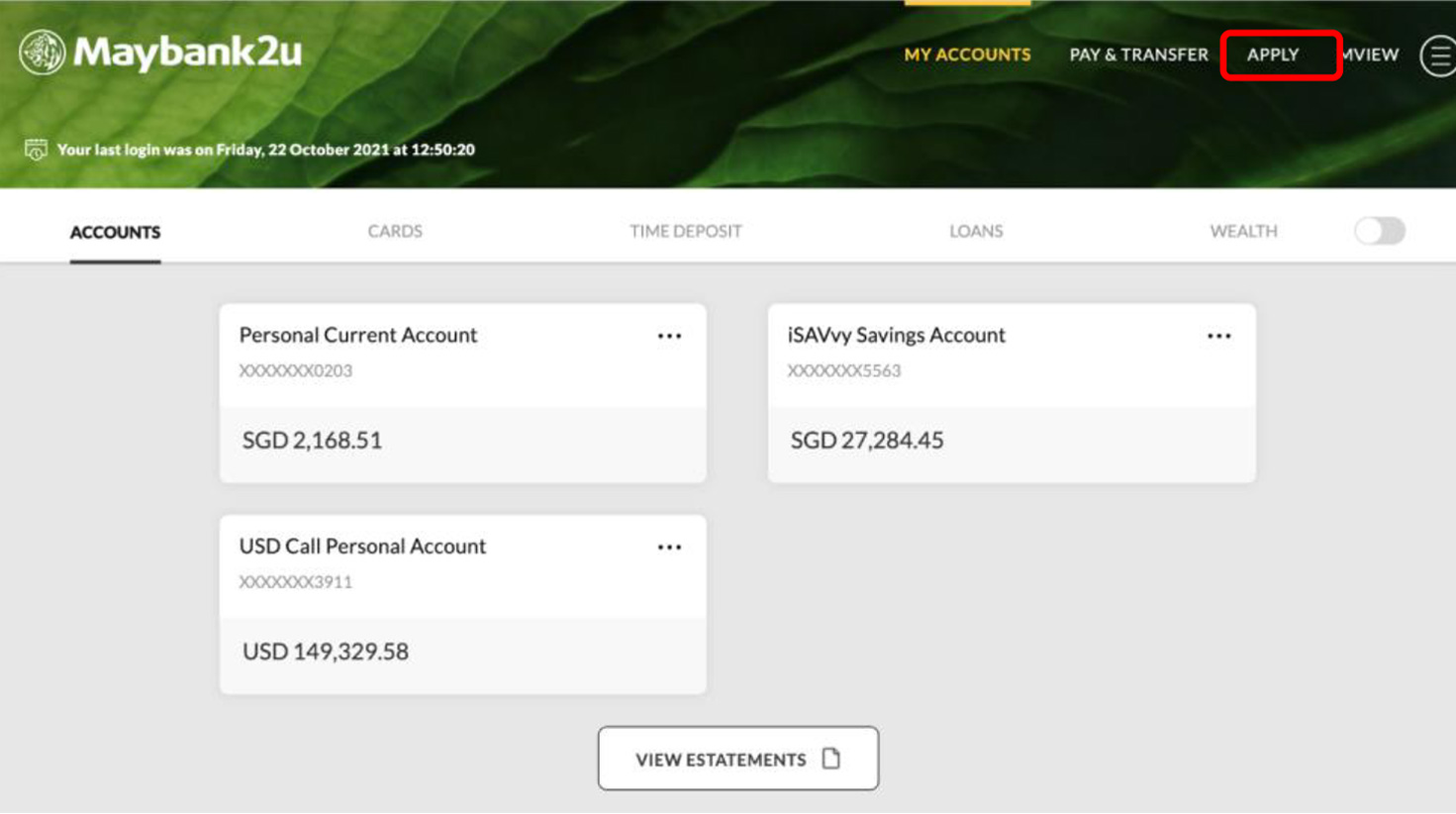
Step 2: Click on ‘Apply’.

Step 3: Under Apply, select ‘Investment’ and click ‘Apply now’ under Unit Trust Account
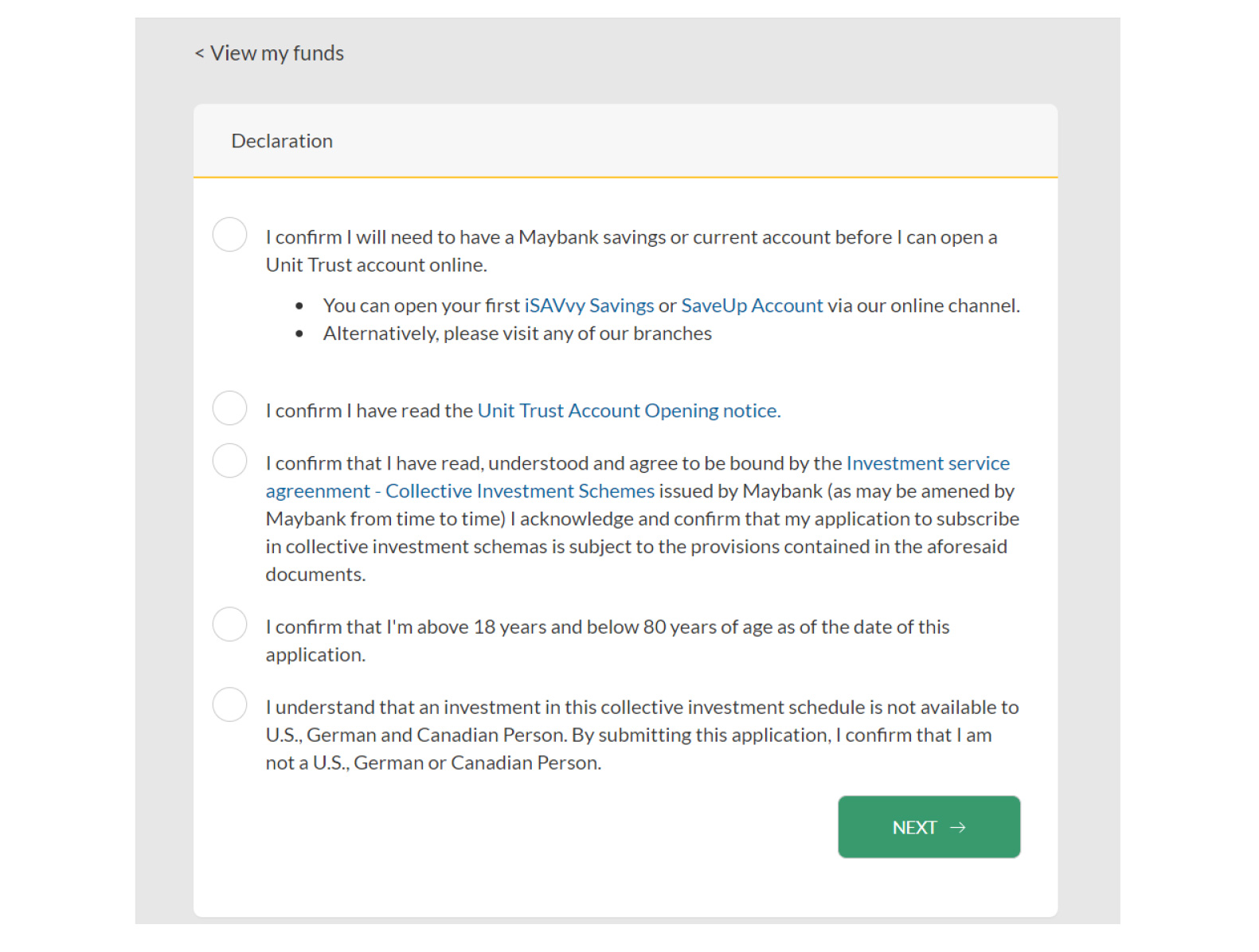
Step 4: Review and agree to Declaration and Terms & Conditions, and click ‘Next’.
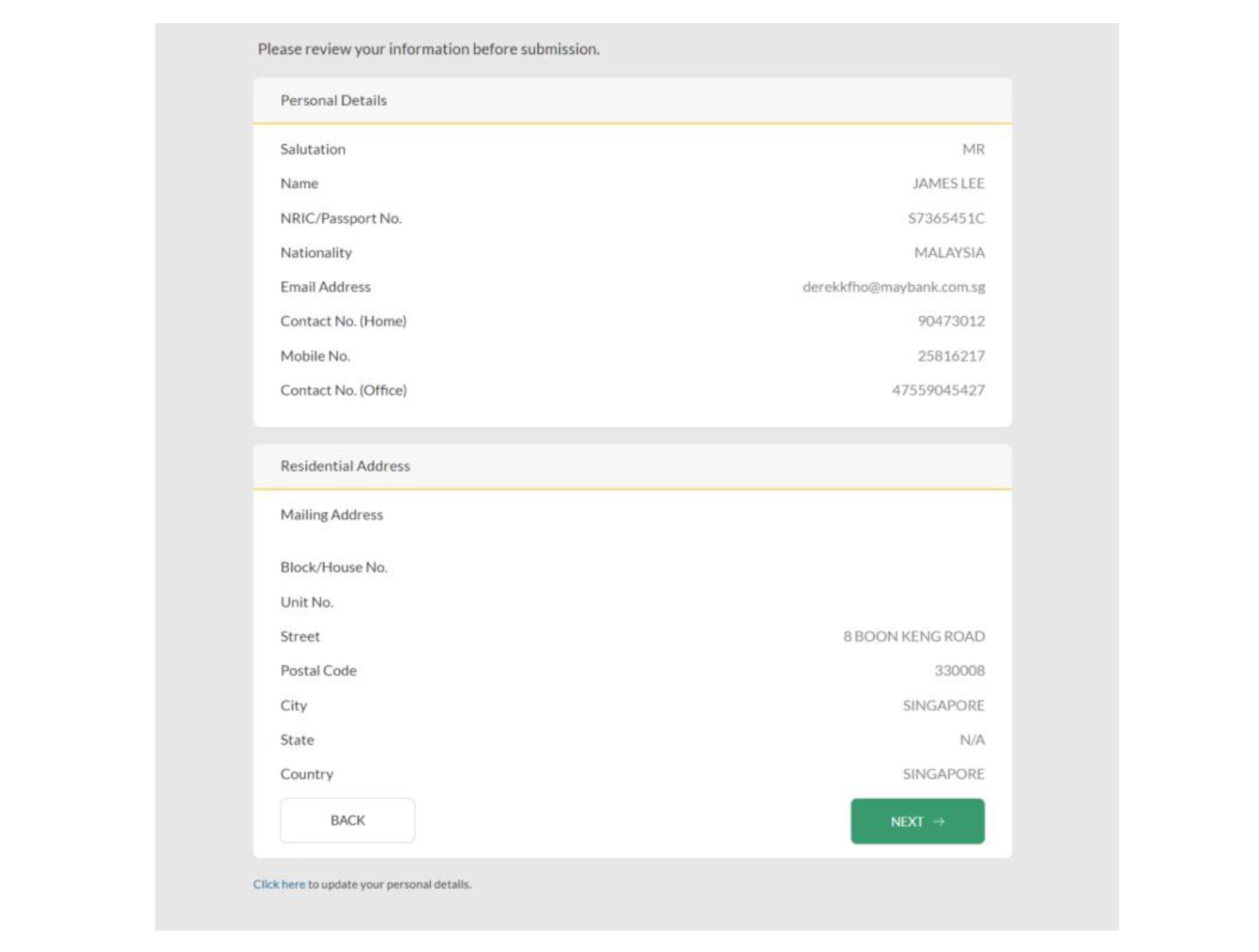
Step 5: Review your details and click ‘Next’.
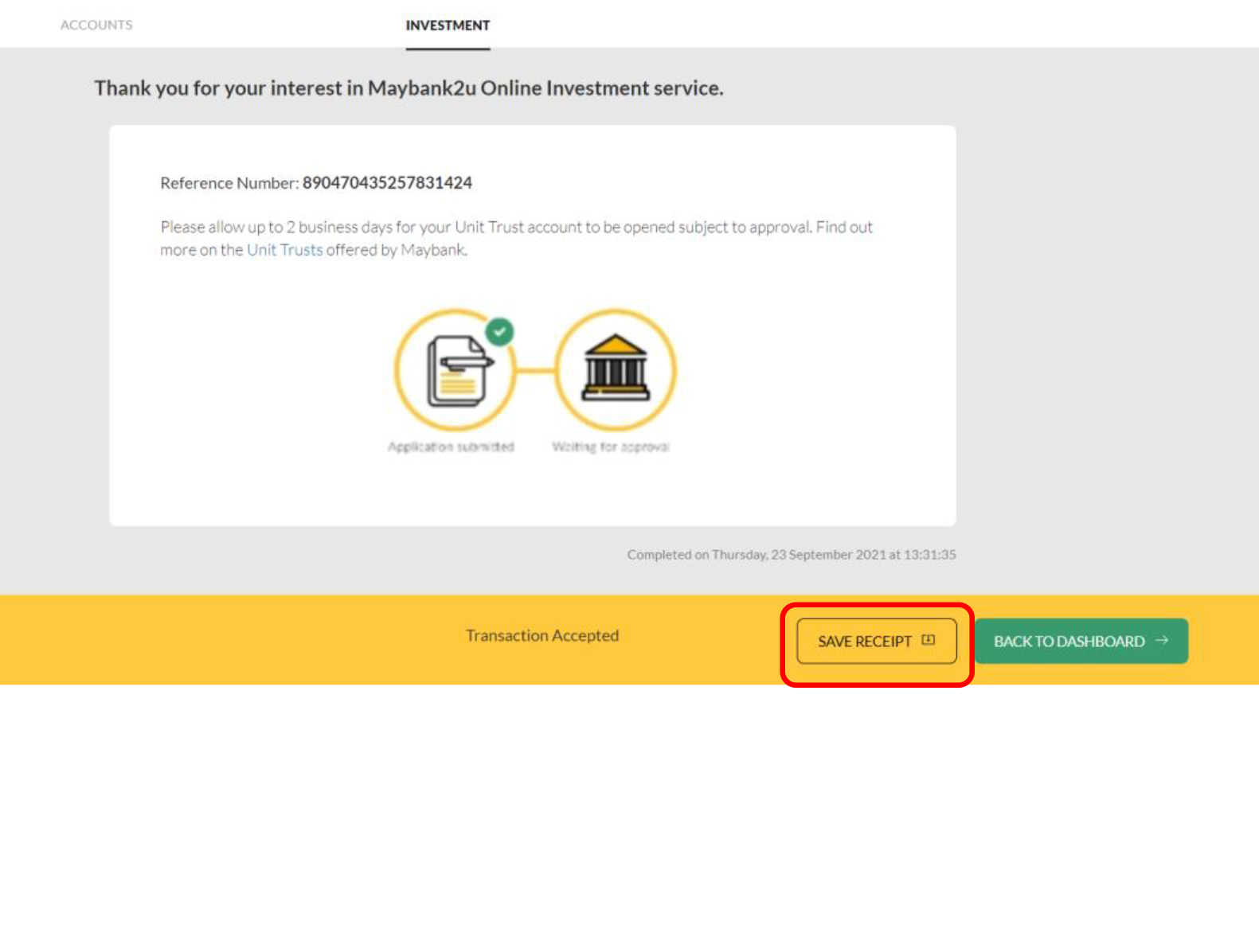
Your application is completed!
Click ‘Save Receipt’ to keep a copy for your reference.