






Investment
How to redeem Unit Trusts funds via Maybank2u Online Banking
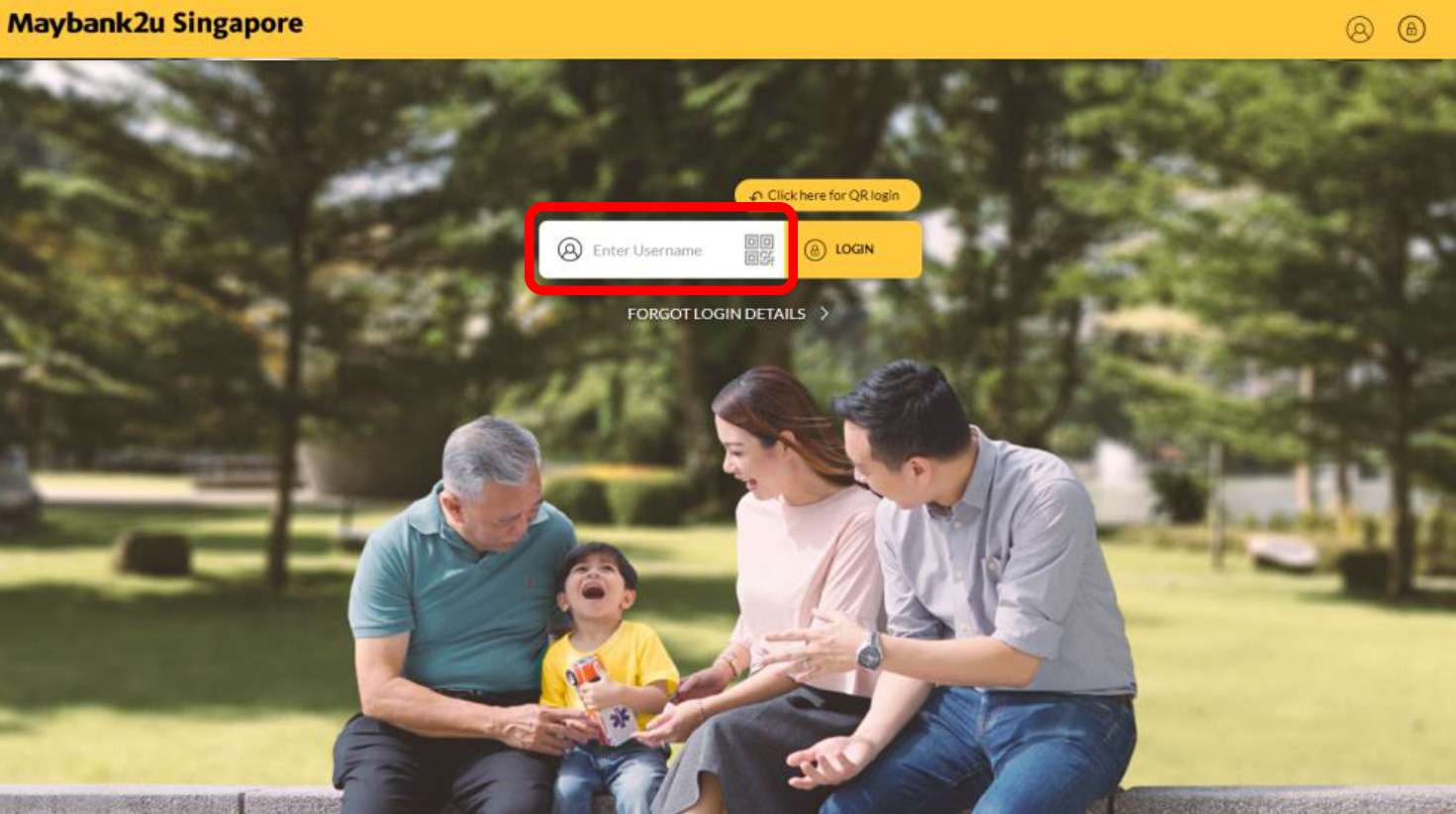
Step 1: Login to Maybank2u Online Banking with your username and password.
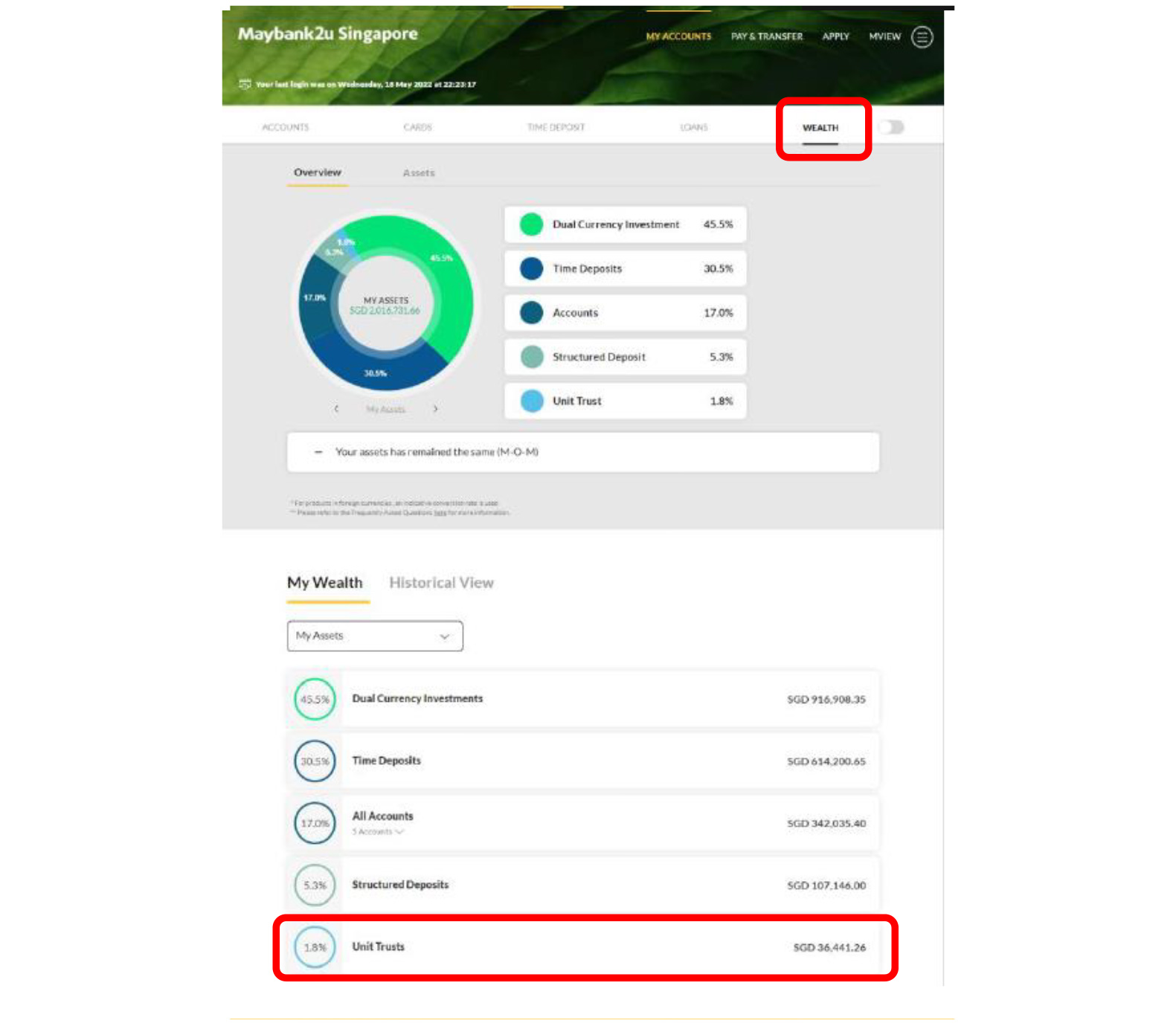
Step 2: Click on ‘Wealth’ and select ‘Unit Trusts’.
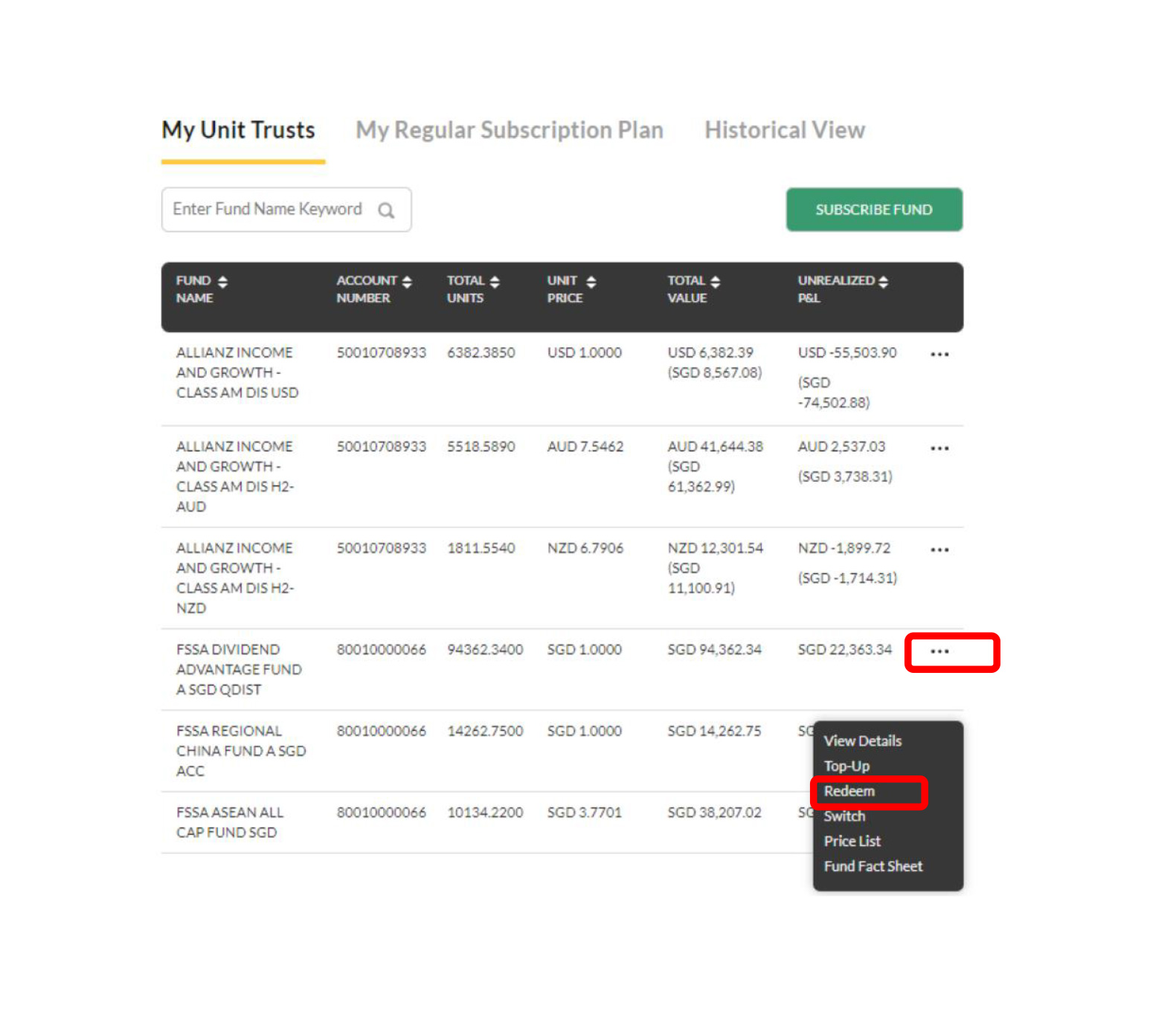
Step 3: To redeem a fund, click on ‘…’ on the specific fund and select ‘Redeem’.
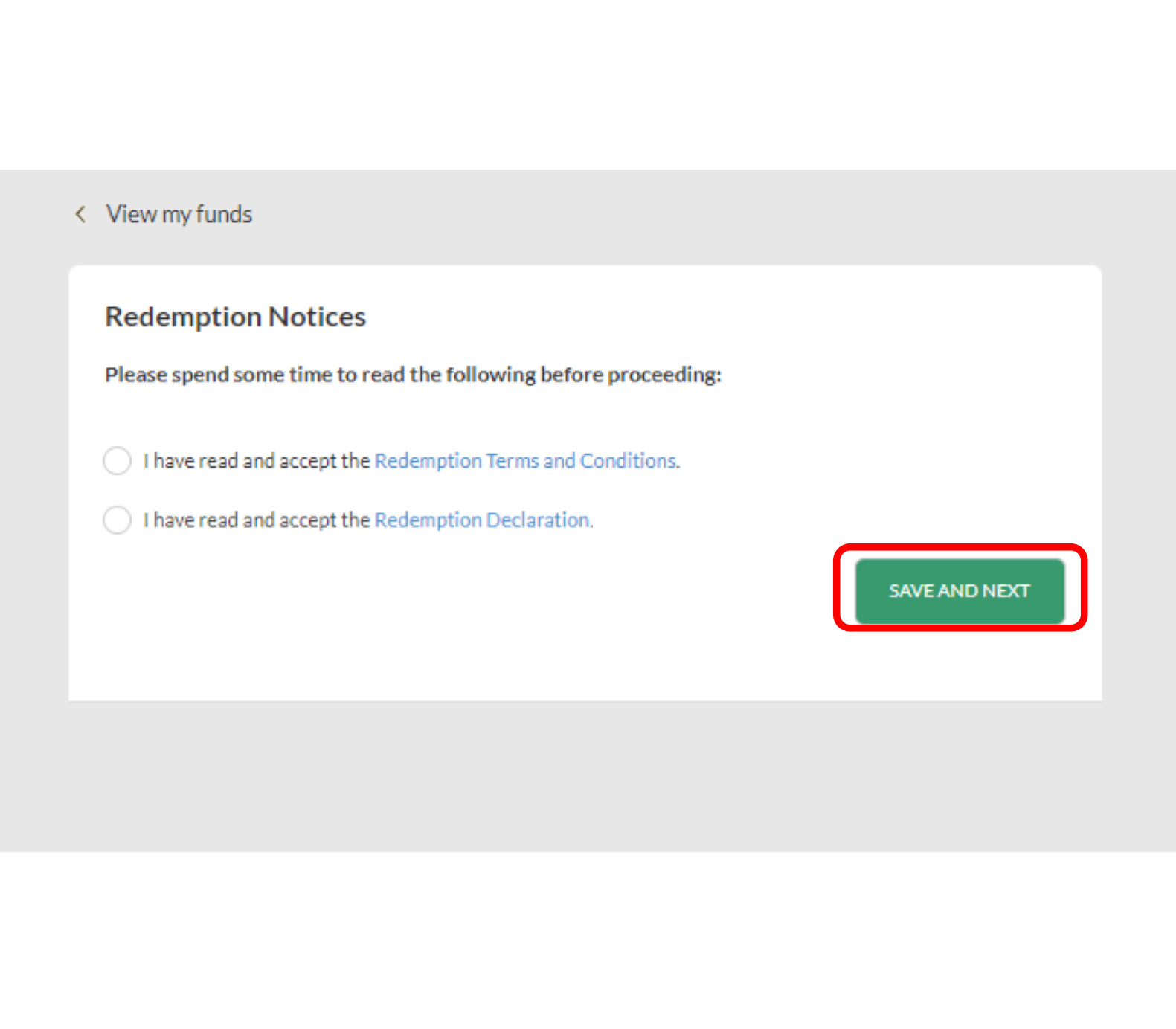
Step 4: Acknowledge ‘Redemption Notices’ and click ‘Save and Next’ to proceed.
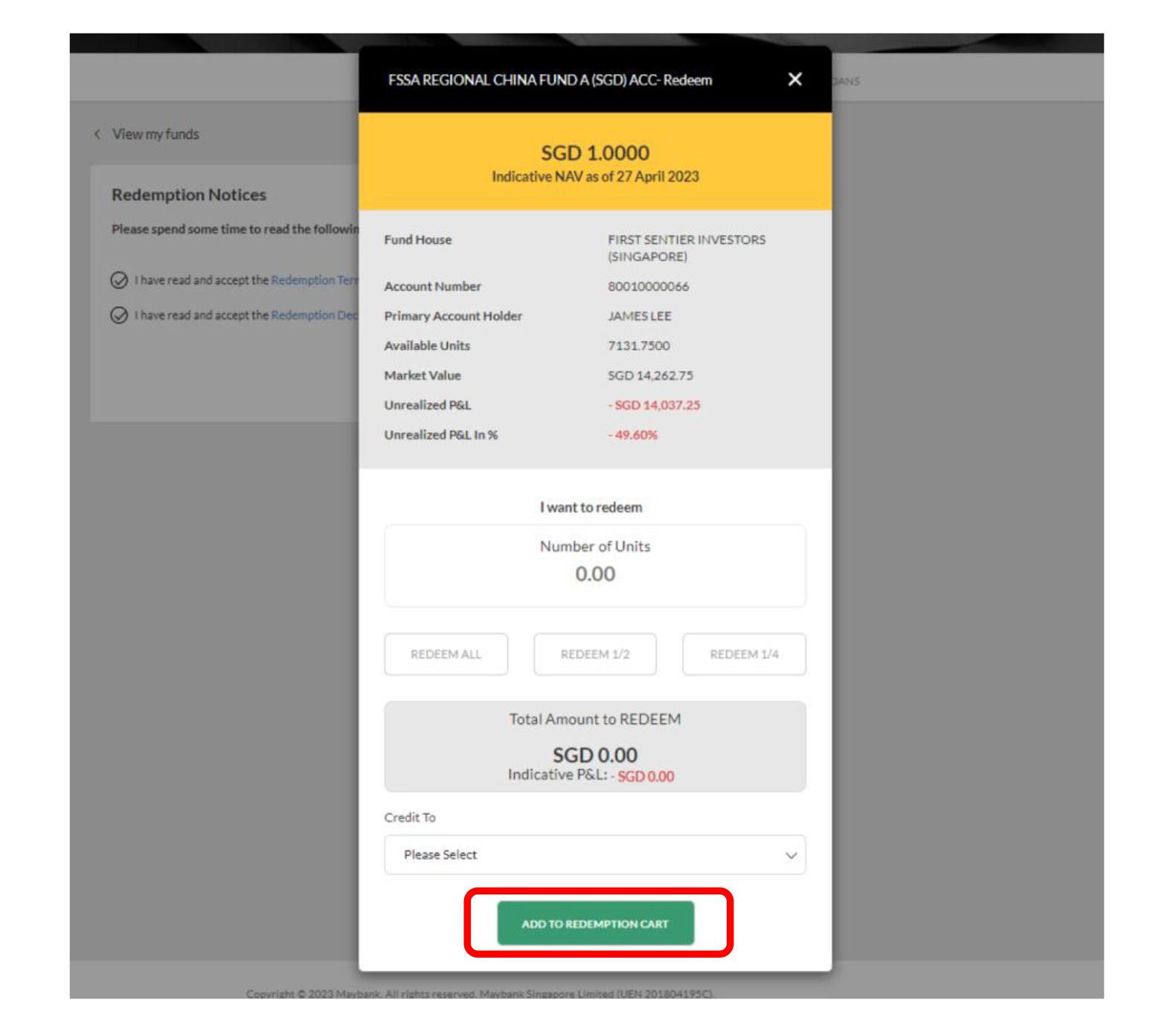
Step 5: Enter relevant details and click ‘Add to redemption Cart’ to proceed.
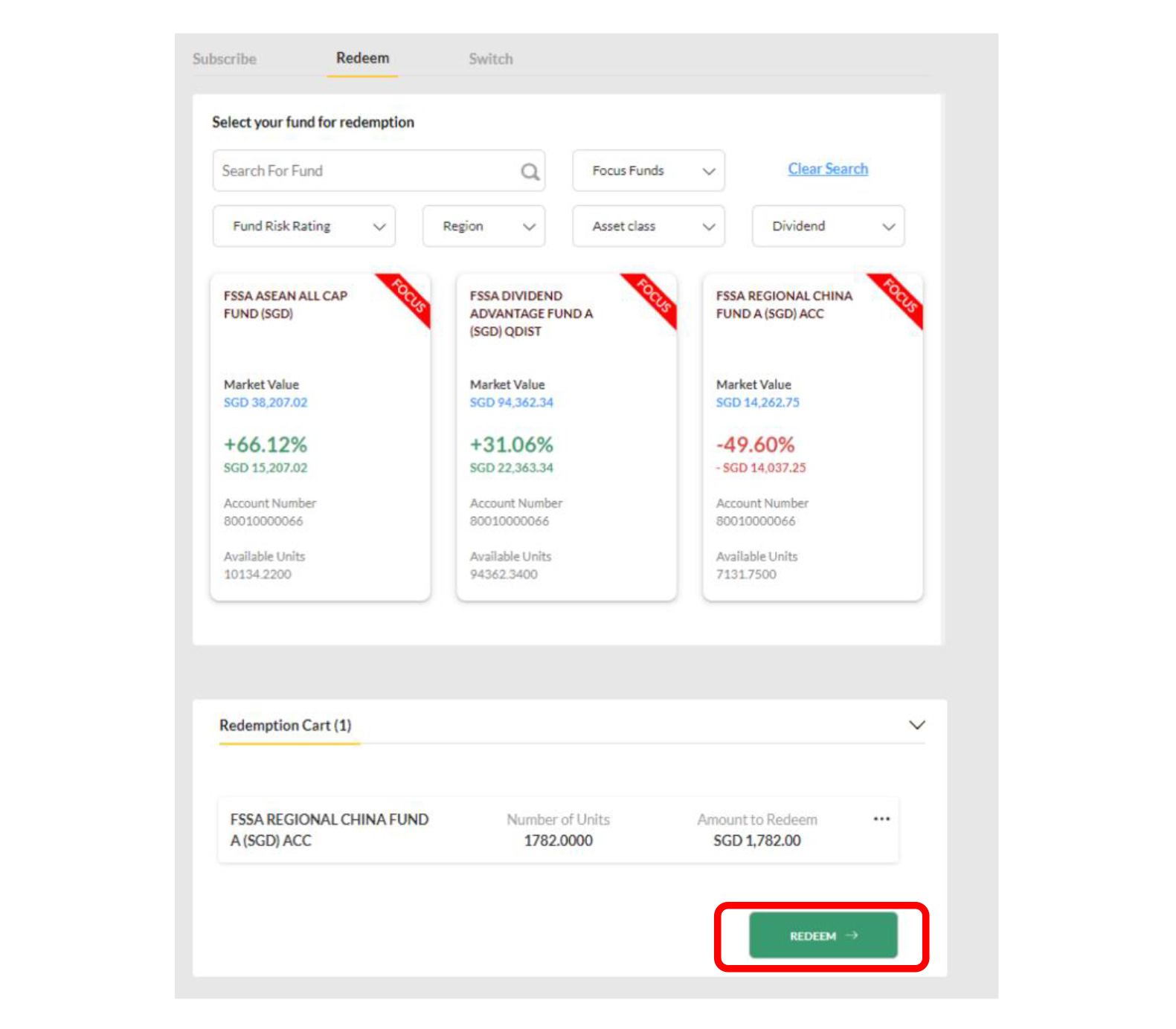
Step 6: Click ‘Redeem’ under the Redemption Cart to proceed.
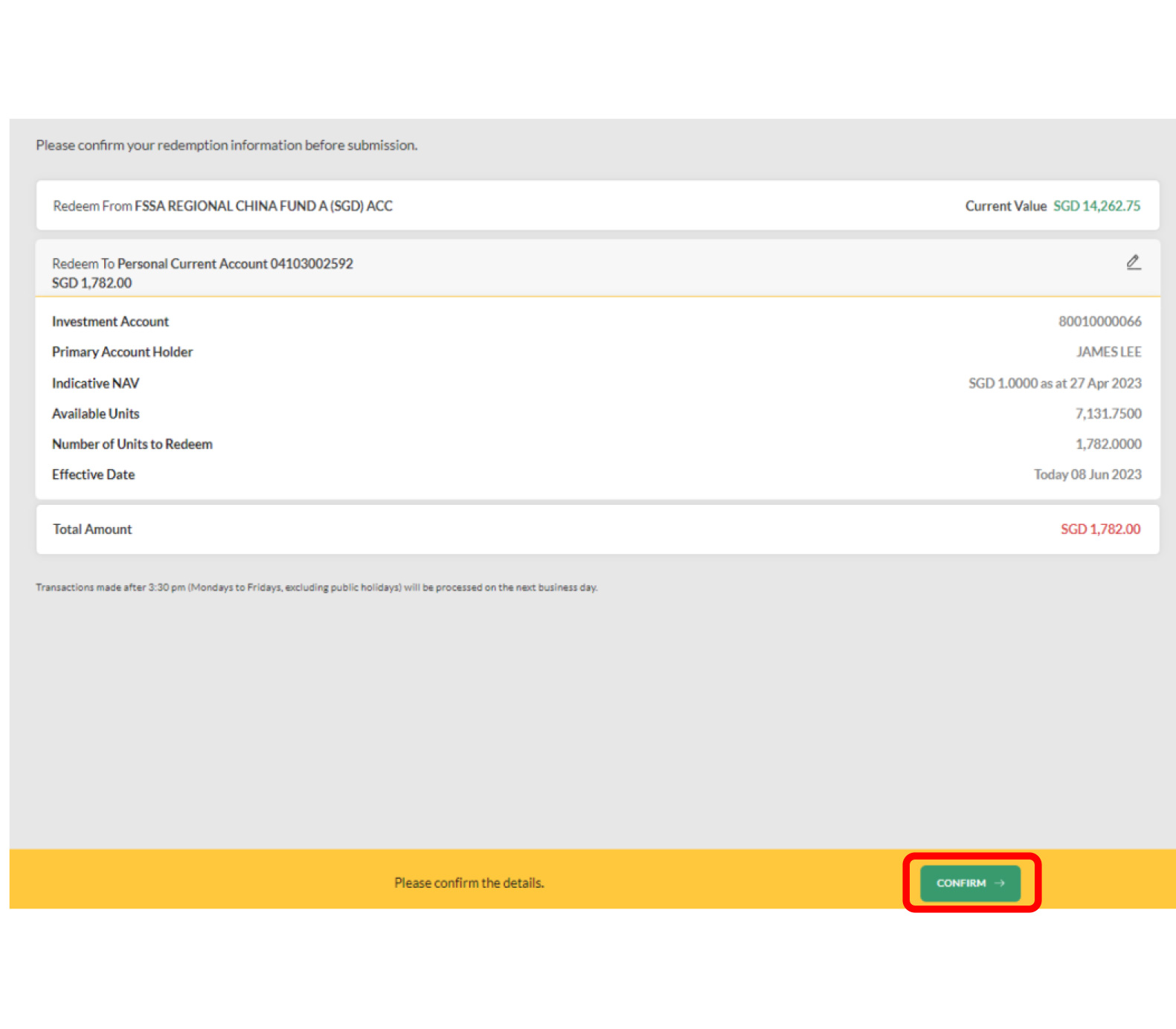
Step 7: Review the details of your redemption and click ‘ Confirm’.
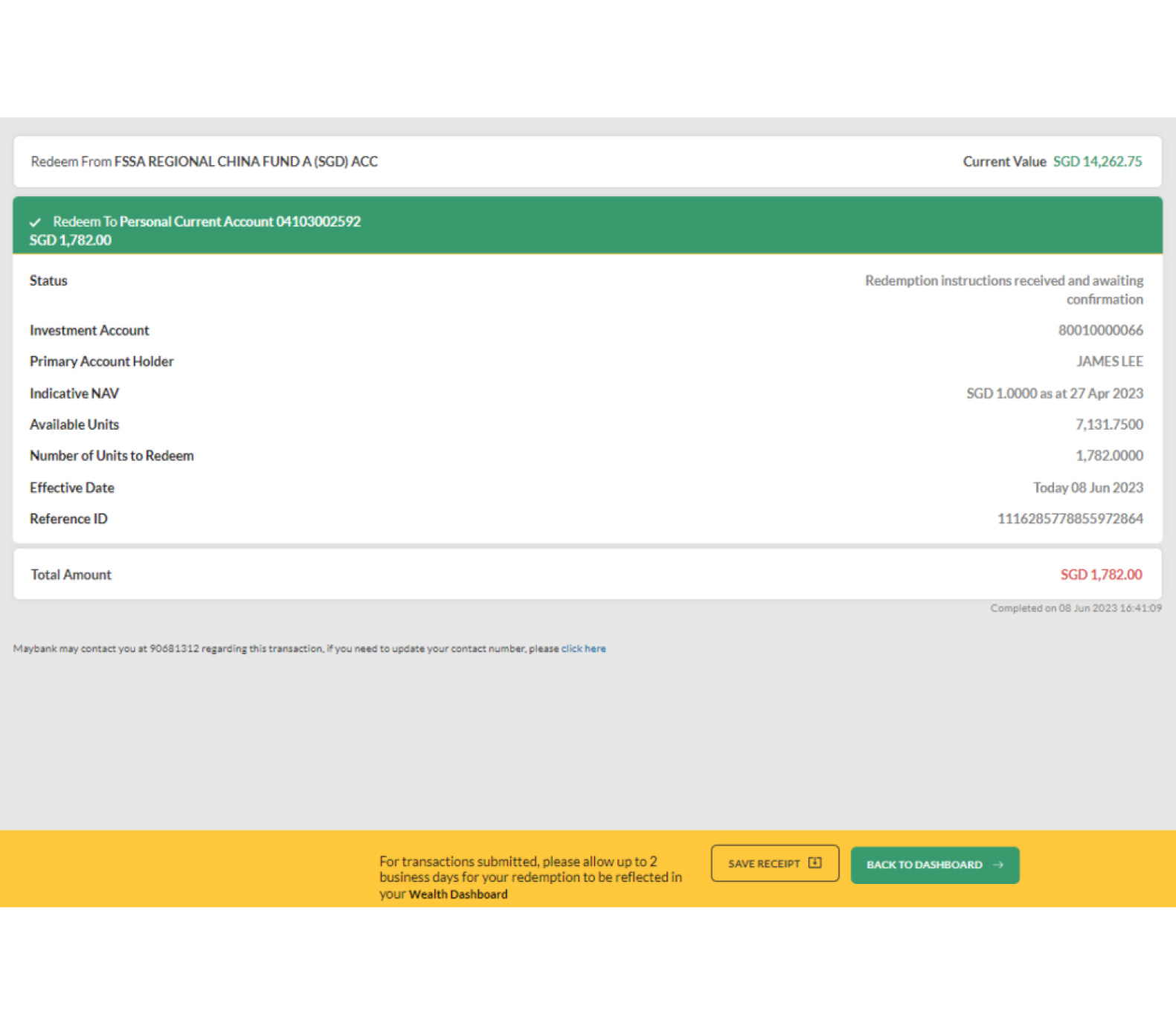
Step 8: Redemption completed. Click ‘Save Receipt’ to download receipt.