






Enjoy the best exchange rates and up to S$200 cash when you send money to Malaysia
Enjoy the best rates and up to S$200 cash on transfers to Malaysia!
Here's your chance to get up to S$200 cash from us simply by sending money to Malaysia with Maybank2u.
On top of the best SGD to MYR rate among Singapore banks, we are offering 24/7 instant transfers at S$0 fee and attractive cash prizes.
From now till 31 December 2025, we are awarding the first 400 transactors with S$100 cash monthly when you carry out 2 eligible transactions to Malaysia via Maybank Overseas Transfer or PayNow Overseas.
How to win
| Qualifying Periods | No. of Winners | Gift |
|---|---|---|
| 1 – 30 November 2025 | 400 Customers | S$100 cash credit |
| 1 – 31 December 2025 | 400 Customers | S$100 cash credit |
- Each Winner is only eligible to a maximum of 2 Gifts throughout the entire Promotion Period, that is, a maximum of S$200 cash credit throughout the entire Promotion Period.
- To qualify and emerge as a Qualified Customer of a Qualifying Period, the Customer must be one of the first 400 Customers to complete at least two Eligible Transactions through the Eligible Channel during the relevant Qualifying Period.
Eligible transactions
| Type of Transaction | Min. transaction value (in a single transaction) | Eligible Maybank2u Channels | |
|---|---|---|---|
|
(i)
|
Maybank Overseas Transfer to Malaysia | S$250 |
|
|
(ii)
|
PayNow Overseas to Malaysia |
|
Earn cashback of up to S$88

Tap, Track, Win
Get rewarded with instant cashback when you Scan & Pay, PayNow, pay your bills and so much more on the Maybank2u SG app.
Valid till 28 February 2026.
Terms and Conditions apply.
Transfer money instantly from Singapore to Malaysia at the best SGD to MYR rate
Need to send money to your loved ones back home, or fund your investments in Malaysia? With Maybank Overseas Transfer and PayNow Overseas, you can transfer funds to ANY banks in Malaysia instantly. Enjoy low fees and the best SGD to MYR rate among Singapore banks.
Terms and Conditions apply.
| To Maybank Malaysia | To other banks in Malaysia | |
|---|---|---|
| Transfer fee | S$0 | S$2 |
| Processing time | Instant | Up to 2 business days |
How to send money to Malaysia
1. Maybank Overseas Transfer
Maybank2u SG app
Step 1: On the home dashboard, tap on ‘Transfer’ under Quick Actions
Step 2: Go to ‘Overseas’ > select ‘Overseas’ under One-Time transfer (or select from your list of payee)
Step 3: Select Malaysia and MYR as remittance currency
Step 4: Key in amount in MYR or SGD
Step 5: The exchange rate of available transfer type will be displayed on screen. Select one that best fits your needs
Step 6: Enter payee details and proceed with the transfer
Tip: If you have linked your Maybank Malaysia accounts, transfer easily by going to ‘Transfer’ > ‘Self’ > select your Maybank Malaysia account > enter amount & transfer
Maybank2u Online Banking
Once you have logged in to Maybank2u Online Banking, you will land on your ‘Accounts’ dashboard.
Step 1: Go to ‘Pay & Transfer’ > ‘Transfer’
Step 2: Under ‘Transfer to’, select ‘Overseas Account’
Step 3: Select ‘Malaysia’ and key in the SGD amount > ‘Compare’
Step 4: Select ‘Proceed’ under Maybank Overseas Transfer (here you will be able to view the exchange rates)
Step 5: Enter payee details and proceed with the transfer
2. Paynow Overseas
- Send and receive money instantly from Maybank Singapore to your Malaysia contacts with just a mobile number.
- Applicable to both Singapore and Malaysia PayNow or DuitNow registered contact numbers.
- Instant transfer to Malaysia at S$0 fee the best SGD to MYR rate among Singapore banks.
- Available 24/7, including Public Holidays and Weekends.
Open an account online today to enjoy this service
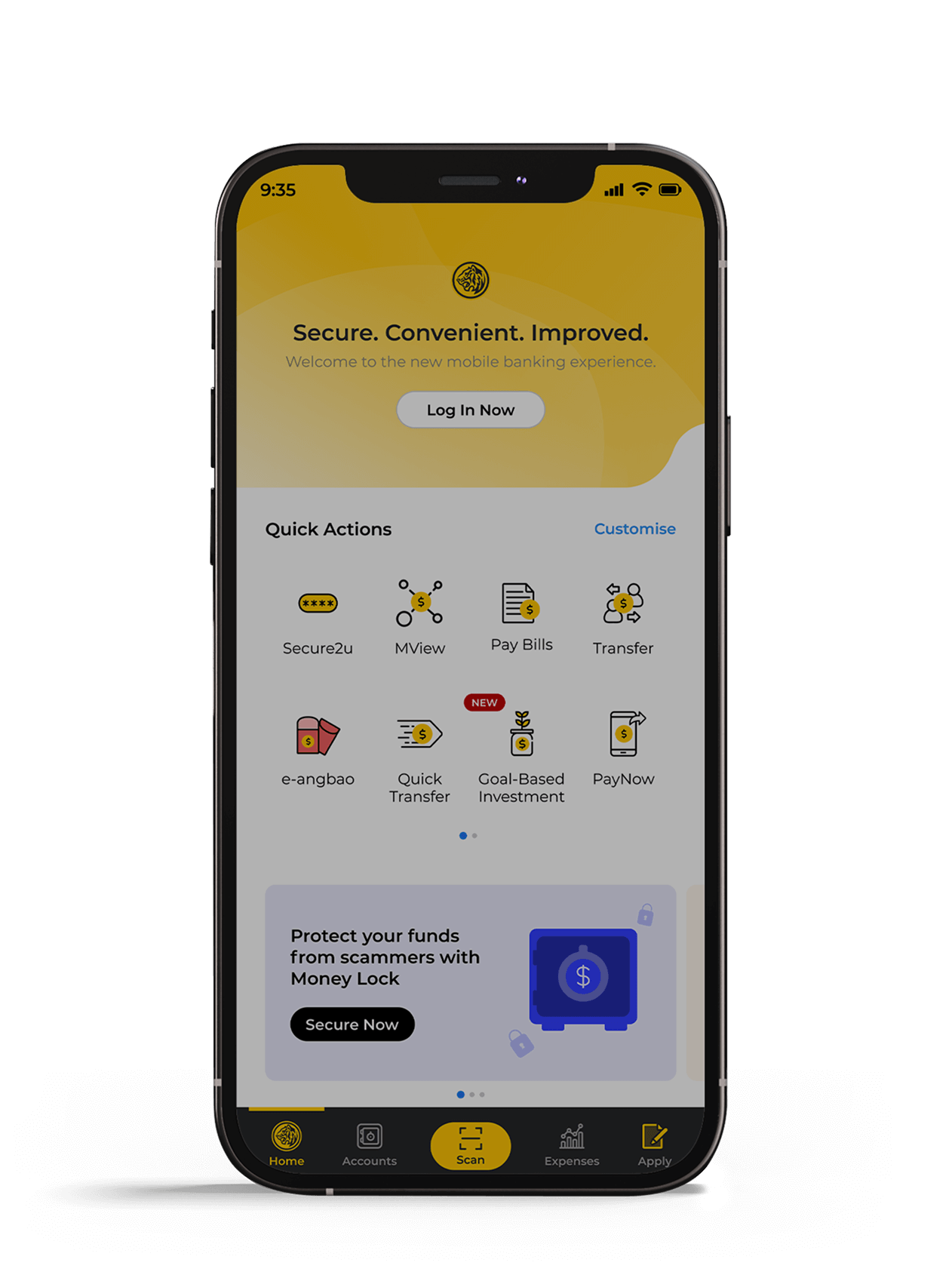
Open a SGD Savings Account fully online
Applicable to Singaporeans, PR, Maybank Malaysia customers and foreigners with valid pass
Follow these steps to open an account via the app.
1. Select ‘Apply’
2. Select ‘Accounts’
- Browse through the account types and select one that best fits your needs.
3. Select ‘Apply via M2U Malaysia’
- Log in to Maybank2u Malaysia and follow on screen instructions.
- For foreigners, select ‘Retrieve MyInfo with Singpass’
Alternatively, apply online at your convenience.
*Refers to valid Employment Pass, S-Pass, Long-term Social Visit Pass and Student Pass
New to Maybank2u Online Banking?
How to perform First Time Login

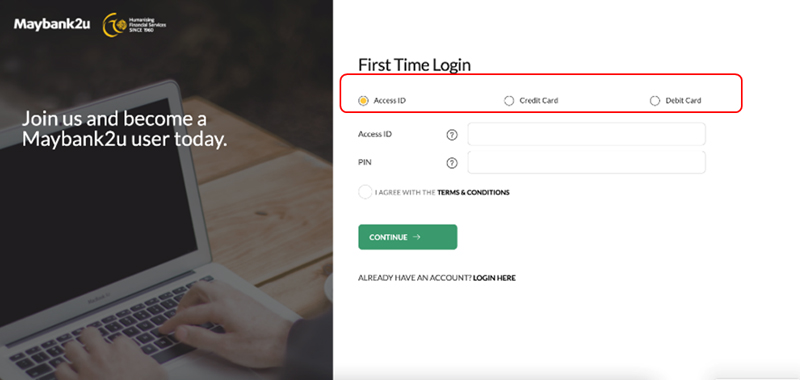
Step 2: Select if you wish to login using your Access ID, Credit Card, or Debit Card and proceed.
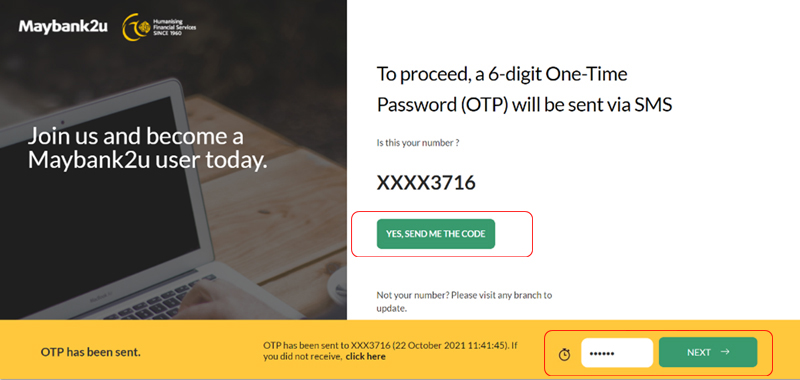
Step 3: Confirm your mobile number, click on ‘Yes, send me the code’ and enter the SMS OTP.
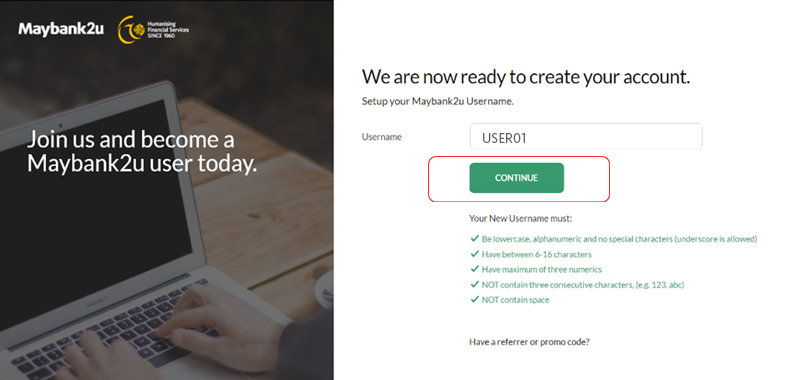
Step 4: Create your username.
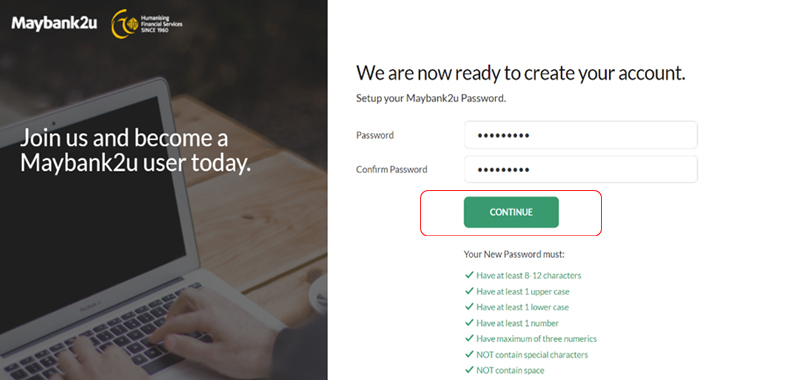
Step 5: Create your new password and confirm your password.
You will now be able to access your online banking.
Download now
Download or update Maybank2u SG app and login with your Maybank2u Online/Mobile Banking Username and Password.



Existing Maybank2u Online Banking User
Forgot your username or password?
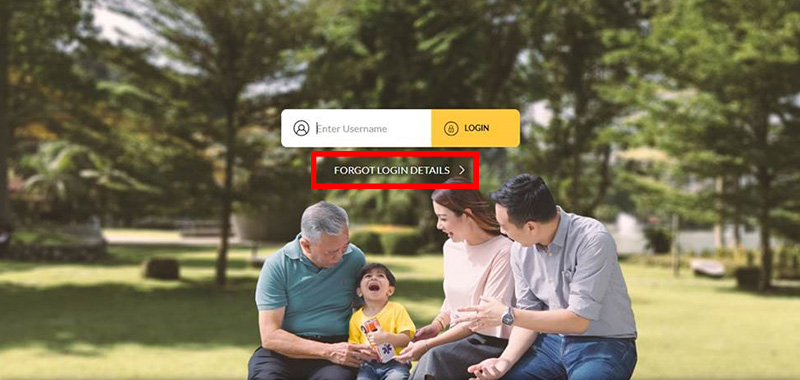
Step 1: On Maybank2u Online Banking home page, click ‘Forgot Login Details’.
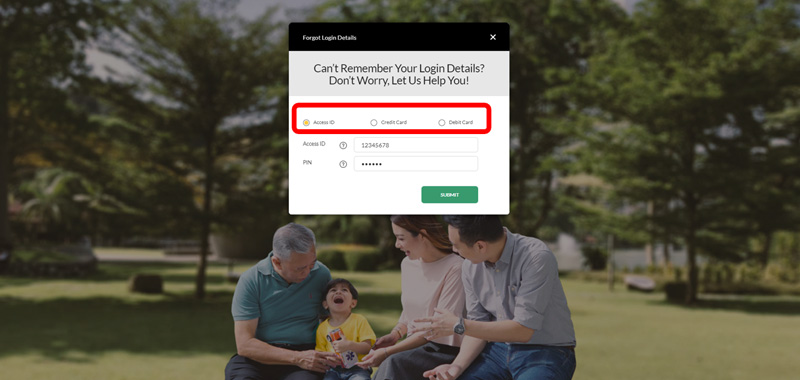
Step 2: Select Access ID/Credit Card/Debit Card and fill in the necessary information to proceed.
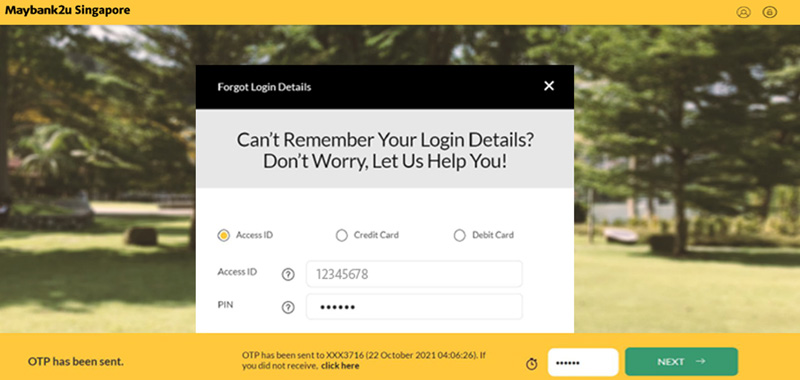
Step 3: Verify your details with SMS OTP
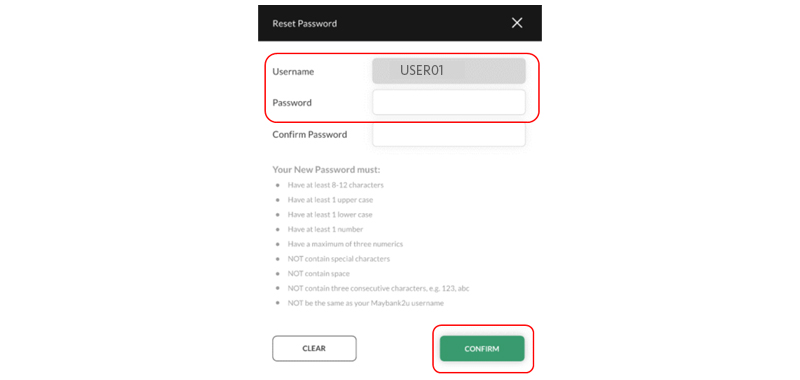
Step 4: Create your new password and click ‘Confirm’
You can now proceed to login with your newly created password.
Terms and Conditions
- Promotion runs from 10 November 2025 to 31 December 2025.
- Each Winner is only eligible to a maximum of 2 Gifts throughout the entire Promotion Period, that is, a maximum of S$200 cash credit throughout the entire Promotion Period.
- To qualify and emerge as a Qualified Customer of a Qualifying Period, the Customer must be one of the first 400 Customers to complete at least two Eligible Transactions through the Eligible Channel during the relevant Qualifying Period.
- Full Terms and Conditions apply (PDF)