




Before adding your card(s) to Apple or Samsung Pay, remember to enable Mobile Wallet. This feature has been added to enhance security and protect you against mobile wallet phishing scams.
How to enable mobile wallet on Maybank2uSG app
Step 1
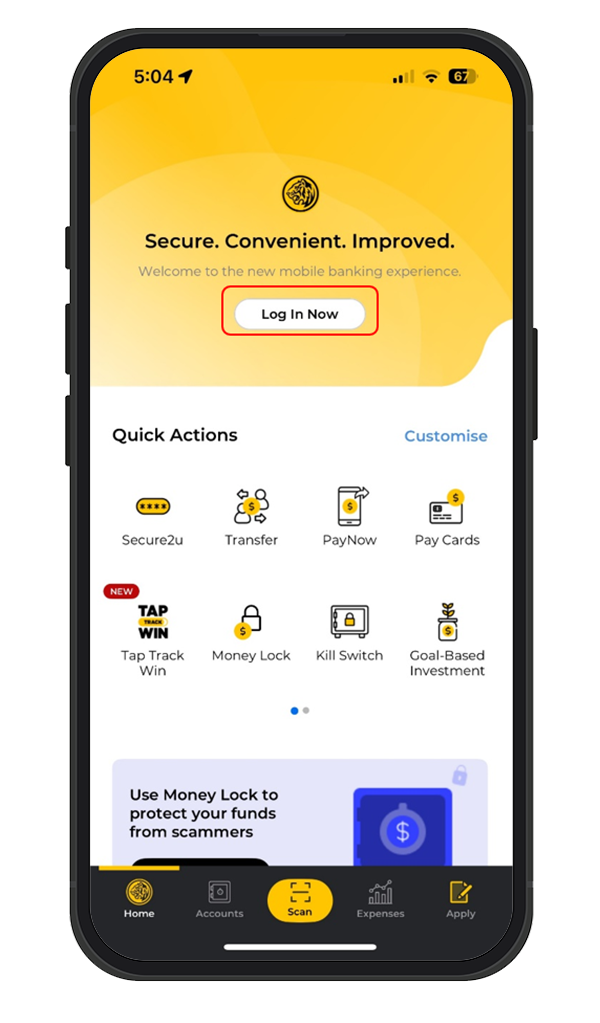
Log in to Maybank2u SG app with your Username and Password or Face/ Touch ID.
Step 2
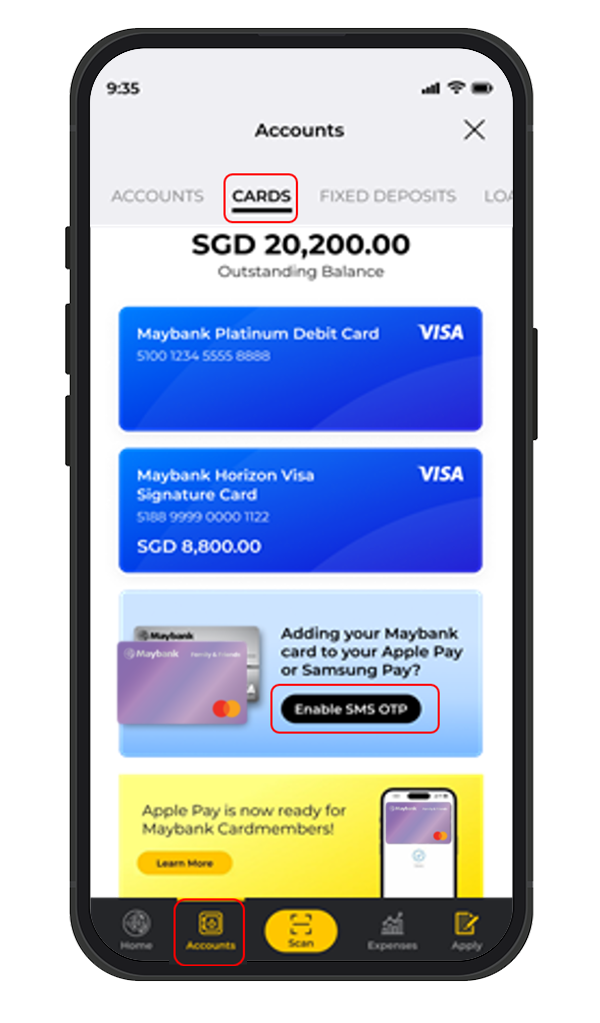
Tap on Accounts at the bottom, under CARDS, scroll to the bottom and select Enable SMS OTP.
Step 3
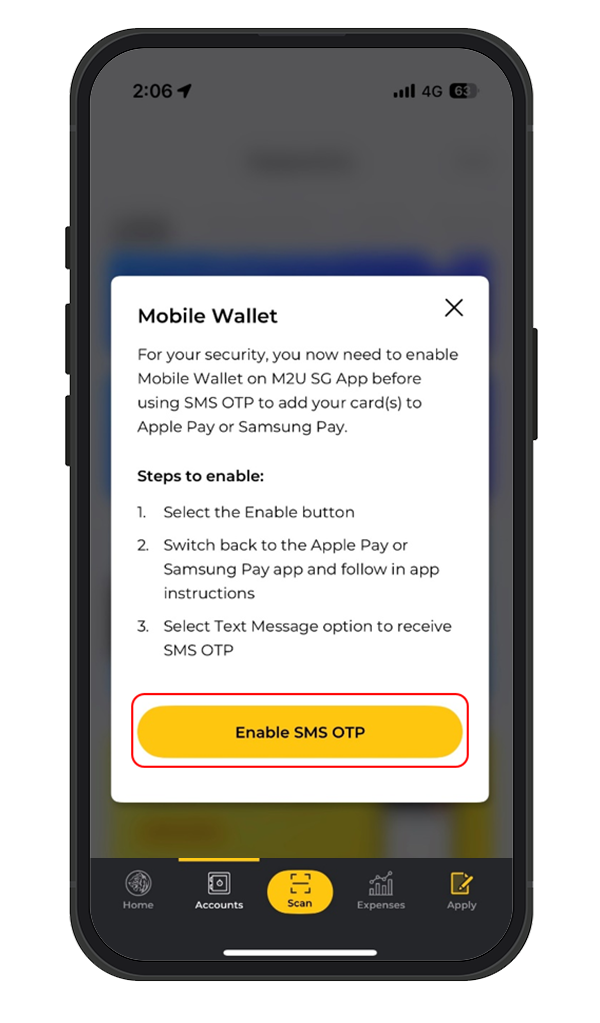
Tap on Enable SMS OTP.
Step 4
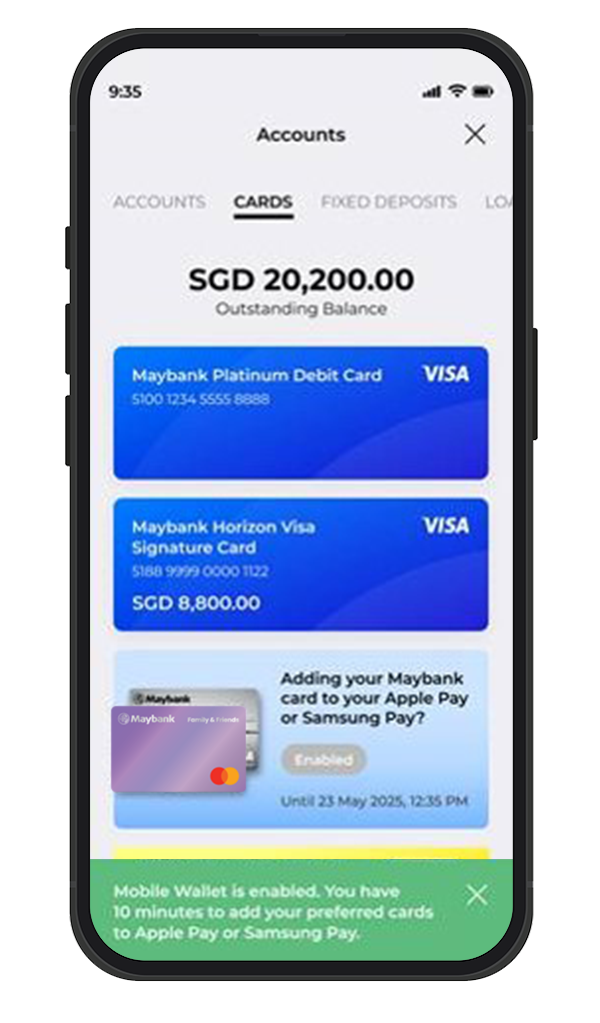
You have successfully enabled the mobile wallet. Proceed to add card to Apple Pay. Proceed to add card to Apple or Samsung Pay.
Note: Complete the process of adding your card to wallet within 10 minutes, after which the mobile wallet will auto-disable.